

How to renew a prescription
This page shows you how to renew a prescription. Renewing issues a fresh prescription based on one you already sent, without starting from scratch.
Who can do this: Prescribers. See roles for what each role can do.
- Open the prescription you want to renew.
- Click Confirm. A menu opens.
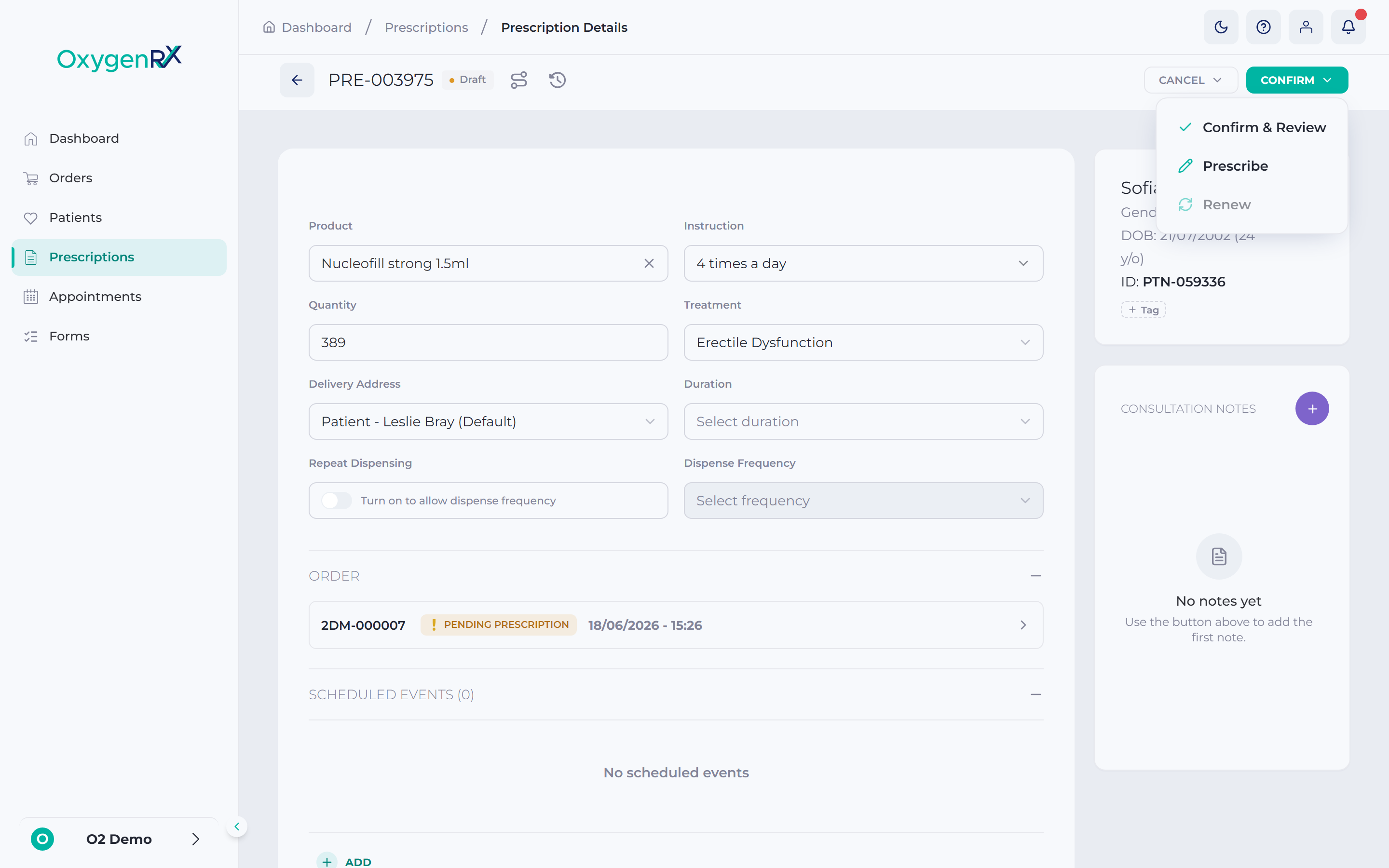
the Confirm menu open, showing the Renew option. - Click Renew in the menu. The Renew Prescription panel opens.
📷 Screenshot
the Renew Prescription panel with the product details pre-filled from the original prescription.
prescriptions/renew-a-prescription-02.png - Check the pre-filled product details. The treatment stays locked to the original and cannot be changed.
- Update Quantity, Delivery Address, Instructions, or Variant, if needed.
- In Duration, select how long the course should last. This box is optional unless you turn on Repeat Dispensing.
- Turn on Repeat Dispensing if this renewal needs regular repeat supplies.
- If Repeat Dispensing is on, select a Dispense Frequency. A Duration is now required too.
- Click Renew.
📷 Screenshot
the Renew Prescription confirmation window with the Secure PIN box.
prescriptions/renew-a-prescription-03.png - In the confirmation window, enter your 6-digit Secure PIN.
- Click Renew to confirm.
What happens next
Section titled “What happens next”A new prescription is created, and you are taken straight to it. The original prescription now shows “Renewal requested:
If something goes wrong
Section titled “If something goes wrong”- If Renew is greyed out in the menu, this prescription cannot be renewed yet. You might not have the Prescribe permission, or it belongs to a different organization. Hover over the option to see why.
- “Required for repeat prescriptions” — you turned on Repeat Dispensing but left a box empty. Fill in both Dispense Frequency and Duration.
- Closing the panel discards anything you entered. You can close it with Cancel, the X, Esc, or by clicking outside it.