

Order statuses explained
This page shows you what each order status means, in plain words.
Who can do this: Any portal user can view order statuses.
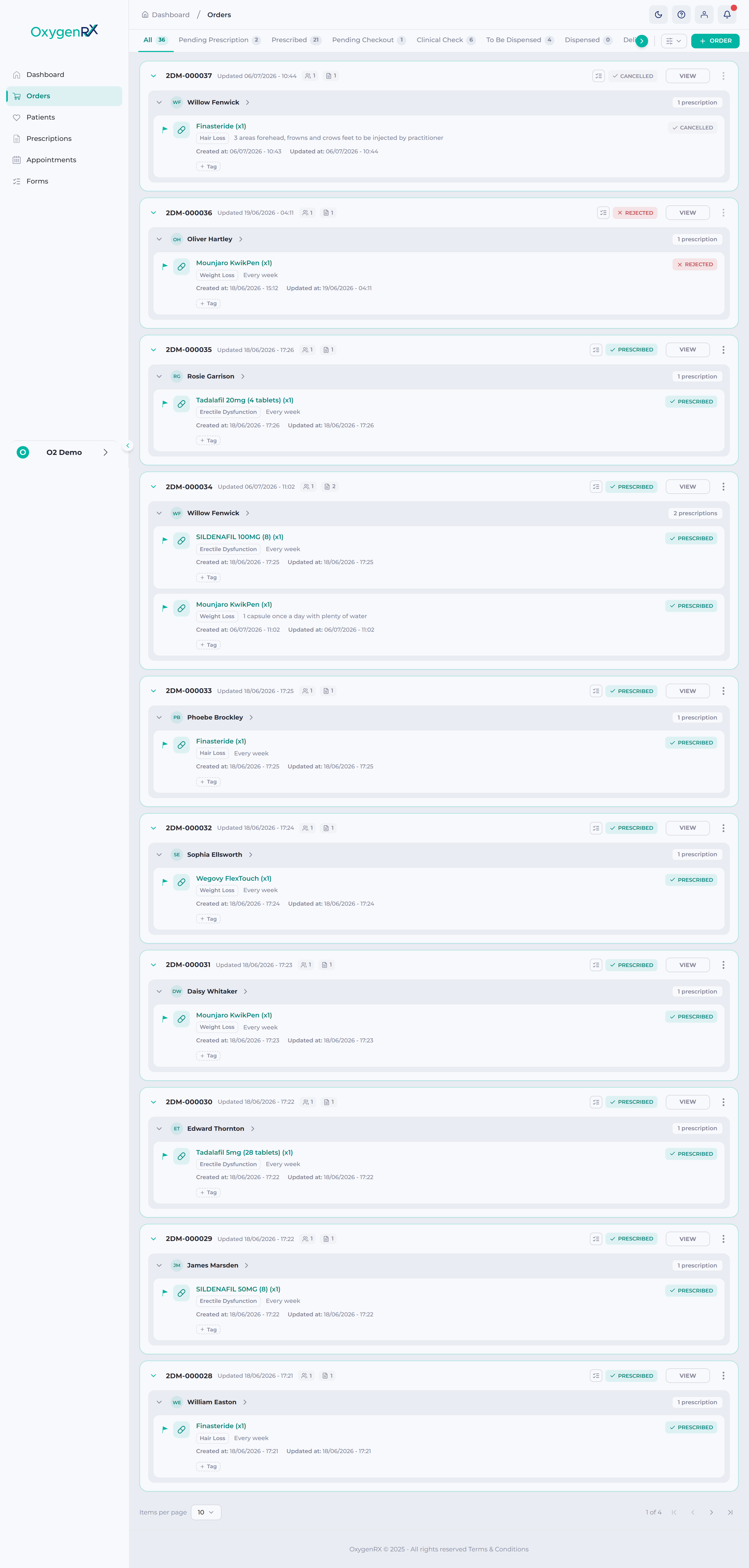
An order status tells you what stage an order is at. As an order is processed, it usually moves through these stages, left to right:
Pending Prescription → Prescribed → Pending Checkout → Clinical Check → To Be Dispensed → Dispensed → Delivered
Two other statuses, Rejected and Cancelled, can happen instead of the usual path. You can see an order’s status on its card. Use the tabs at the top to filter the whole list by status.
Status meanings
Section titled “Status meanings”| Status | What it means |
|---|---|
| All | Shows every order, in any status. This is just a way to see everything — it isn’t a real stage. |
| Pending Prescription | The order is waiting for a prescriber to prescribe it. |
| Prescribed | A prescriber has prescribed it. It’s now waiting for checkout. |
| Pending Checkout | The order is in the patient’s cart, waiting for payment. |
| Clinical Check | A dispenser is checking the order before it goes further. |
| To Be Dispensed | The order is cleared and ready for the pharmacy to dispense. |
| Dispensed | The pharmacy has dispensed the order. |
| Delivered | The order has reached the patient. |
| Rejected | A prescriber rejected the order, or one of its lines. |
| Cancelled | The order was cancelled. |
You might also come across a status called Not Paid. It’s used behind the scenes and never appears as a tab you can click.
On a single prescription line, you may also see Confirmed or Product Changed. These only appear on individual lines, not as tabs. A Product Changed line has a product change request waiting for your attention.
What happens next
Section titled “What happens next”An order’s status decides which buttons you see for it. Only a Prescribed order can be checked out. Only a Pending Prescription order can be rejected.
See How to check out and pay for an order and How to reject or cancel an order for the next steps.
If something goes wrong
Section titled “If something goes wrong”- If an order stays at Clinical Check, ask a different dispenser to confirm it. It can’t be the original prescriber.
- If you can’t find an order, check you’re on the right status tab. Or click All to see every order.