

How to build an organization form
Create a custom questionnaire that patients fill in — Oxygen calls this an intake form.
Who can do this: Admin, Manager.
creating a new organization form from the forms list through to Create
organization-forms-build-a-form.mp4- Click Forms in the sidebar.
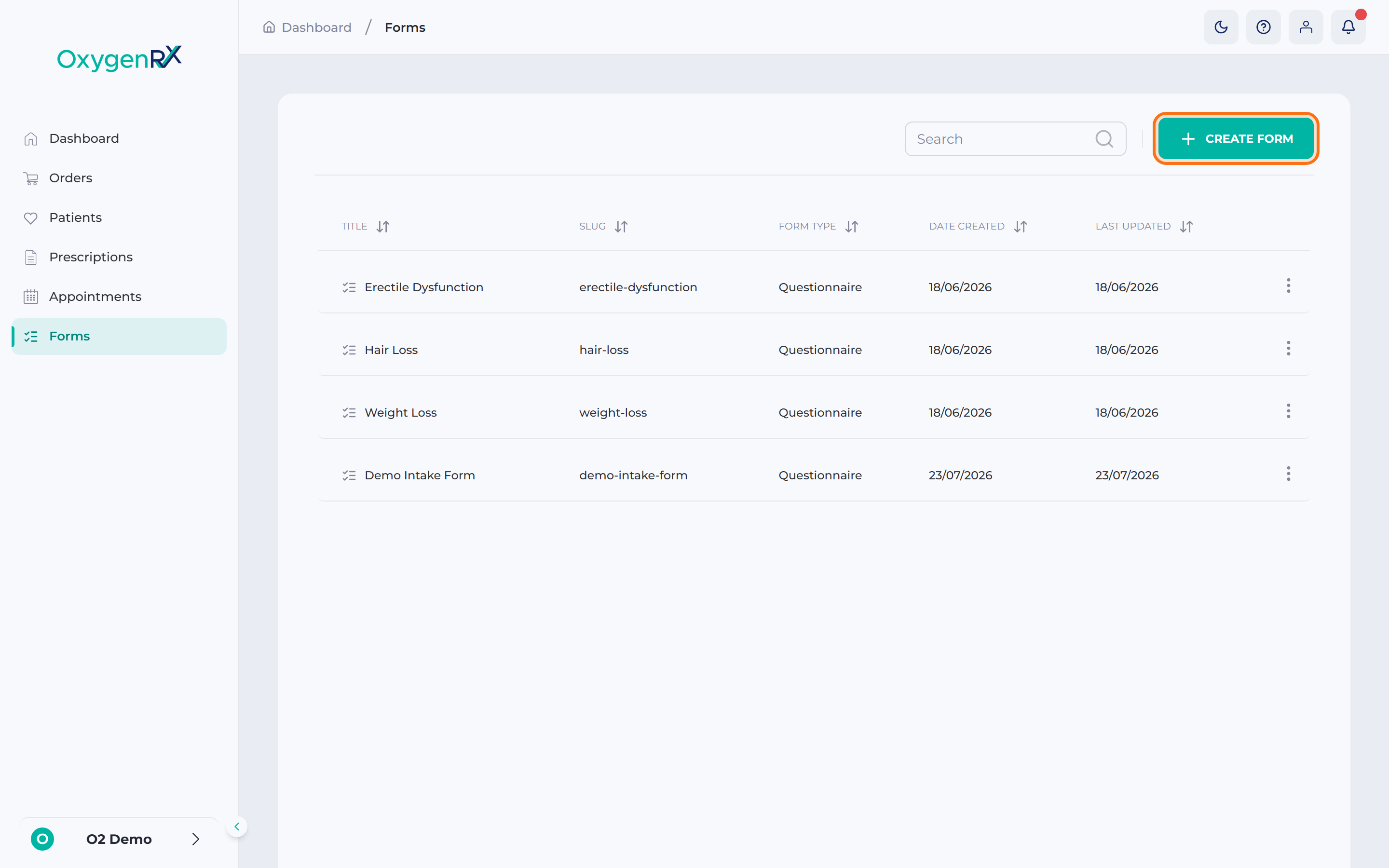
- Click Create Form.
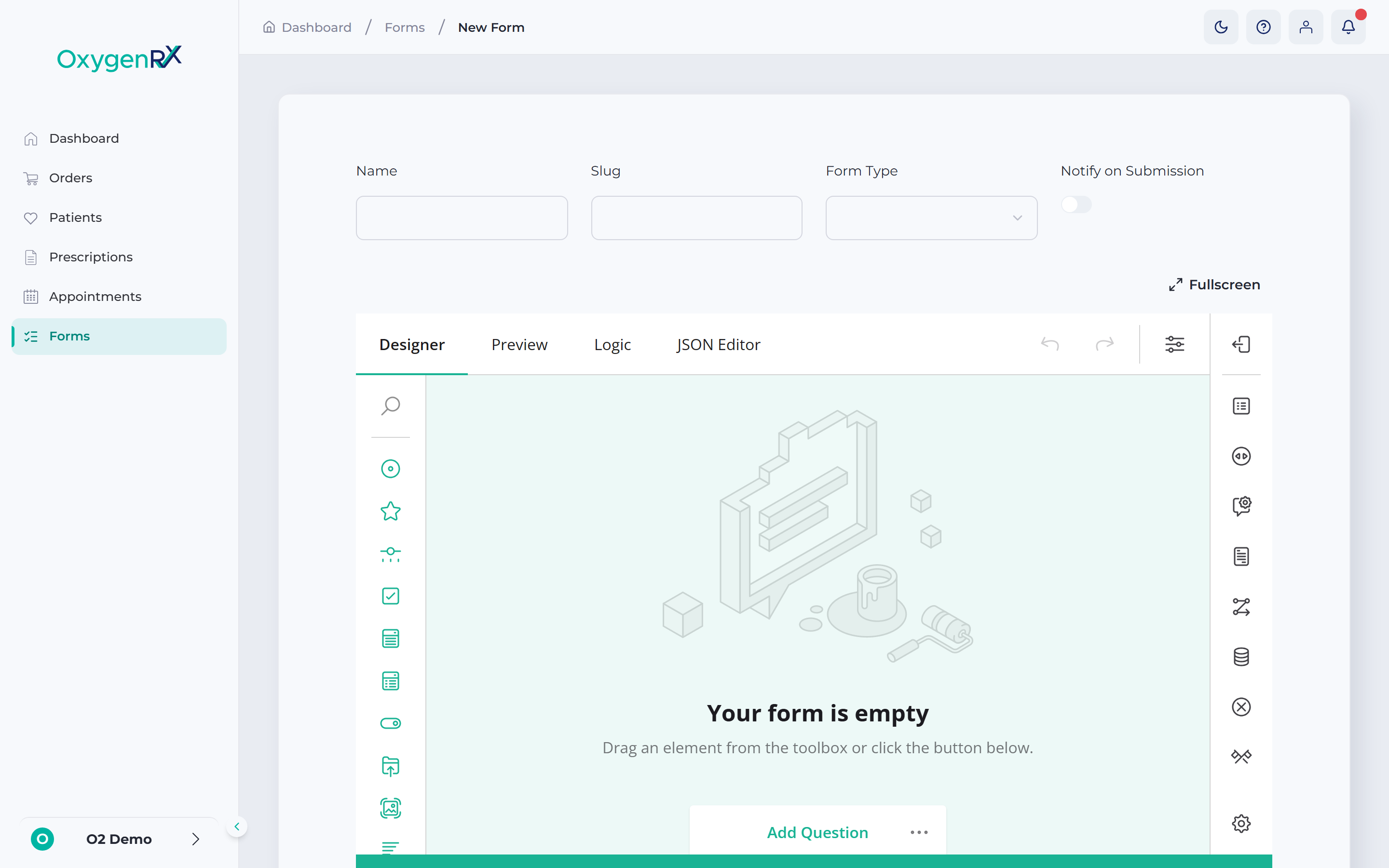
- Type a name in the Name box. Patients see this as the form’s title.
- Type a short Slug. This becomes part of the form’s web address.
- Choose a Form Type from the list of choices. The choices are set up for your organization and usually cover questionnaires, consent forms, and feedback forms.
- Switch on Notify on Submission for an email each time a patient submits.
- Build your questions in the Form Builder (see below).
- Click Create.
Understanding the Form Builder
Section titled “Understanding the Form Builder”The Form Builder has three tabs you’ll use most:
- Designer — build the form here. Drag question types from the Toolbox on the left onto the canvas, the blank area in the middle. Then set their options on the right.
- Preview — shows exactly what a patient will see, including any special question types you’ve added.
- Logic — sets rules for the form. For example, hide a question until an earlier one is answered a certain way. Or skip the patient ahead based on their answer.
A fourth tab, JSON, shows the form’s raw code. Most people never need to open it.
Click Fullscreen for more room to work. Click it again, or press Escape, to go back.
Adding questions
Section titled “Adding questions”Drag standard question types onto the canvas. Choices include short text, long text, multiple choice, dates, and file upload.
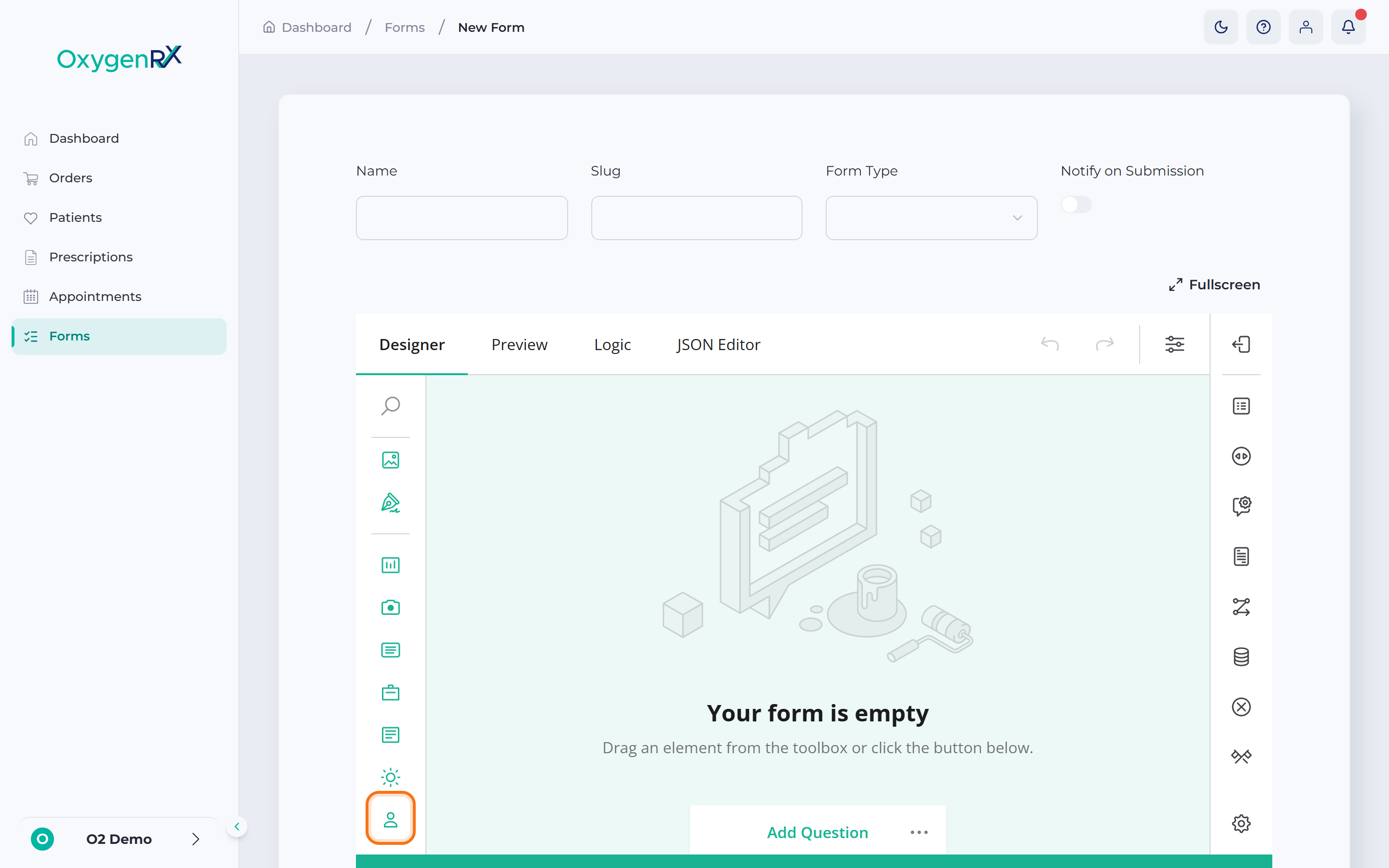
The Patient Details tile adds a ready-made block of common questions in one step. It covers name, sex, date of birth, allergies, medications, and delivery address. You can also drag just one part of it, such as Allergies alone.
A few blocks are specific to Oxygen:
- Text Display — shows information, images, or a consent tick box the patient must accept.
- BMI Calculator — the patient enters their height and weight, and it works out their BMI.
- Weather — the patient types in four things themselves: their location, the UV index, the humidity, and the pollution. Nothing is filled in for them.
Any question can also carry a tooltip. This is a small info icon the patient can hover or click for more detail.
What happens next
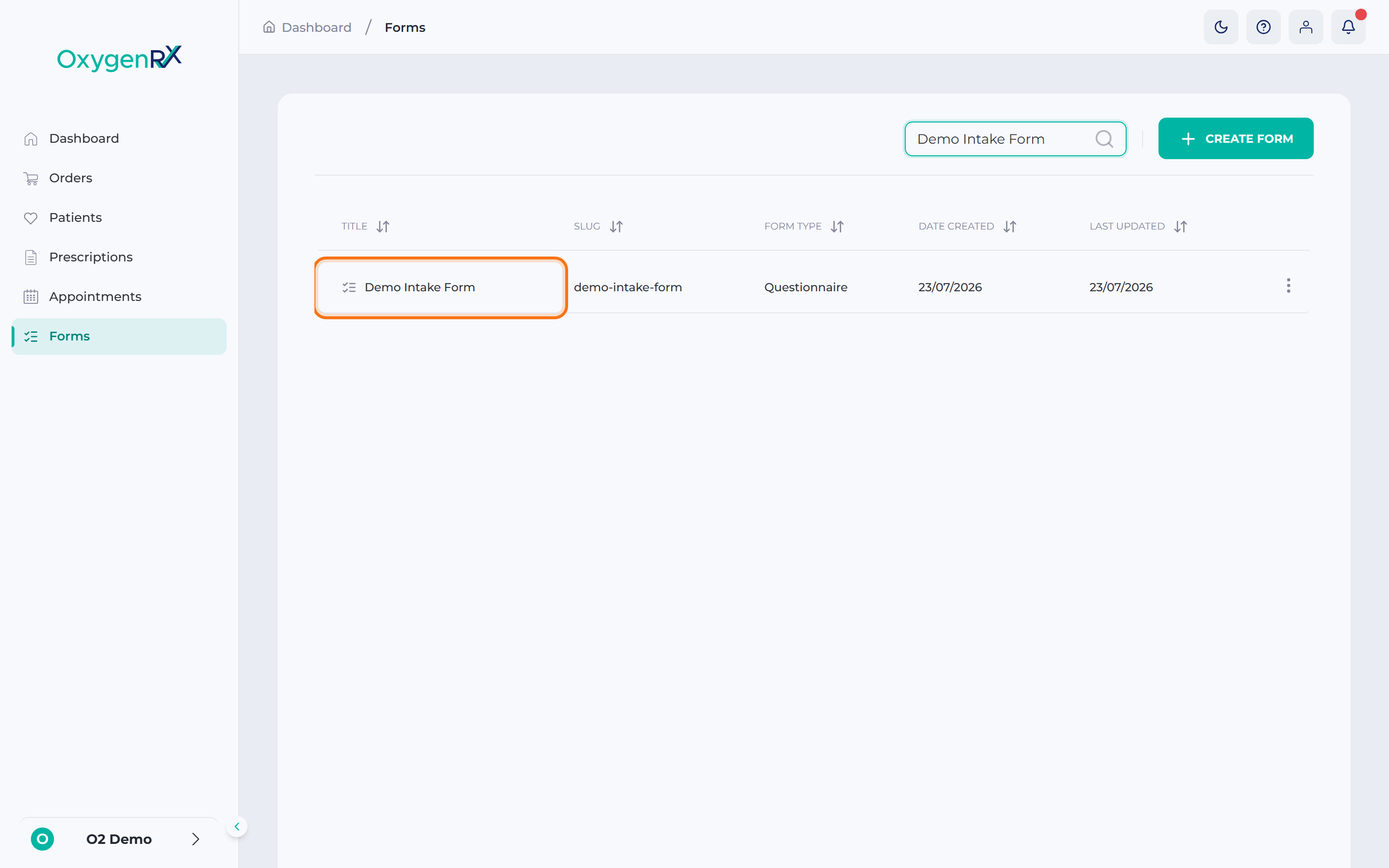
Section titled “What happens next”Oxygen saves your form and returns you to the Organization Forms list. Send it to a patient from their record — see Send a form. Reopen a form any time to change it. Click its row, make changes, then click Update.
If something goes wrong
Section titled “If something goes wrong”- “Name is required”, “Slug is required”, or “Form type is required” — fill in the missing box before creating.
- “Content is required” — add at least one question in the Form Builder.
- To delete a form, click Delete on its page, then confirm in the Delete Questionnaire window. This can’t be undone.